A beginner-friendly app for creating pixel art
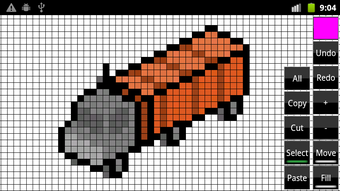
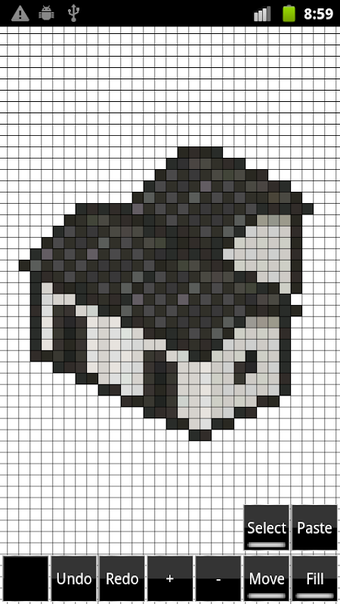
Pixel Create is a highly versatile tool tailored for pixel art enthusiasts. Whether you are designing original artwork from a blank canvas or adding pixelated effects to existing images, this free app is an efficient platform for your pixel art projects.
With its intuitive and straightforward interface, Pixel Create makes it easy for users of all skill levels to dive into designing. The app offers a core set of essential tools without overwhelming users with extraneous features. It is an ideal choice for both beginners and experienced artists looking for a practical and effective pixel editor.
Simple but practical toolset
Pixel Create offers a zoom functionality, making it easier to work on intricate details and get an overall view of the artwork. It also has a bucket fill tool, which simplifies the task of applying color to large areas or making significant color changes. For enhanced visibility, the app enables users to customize the grid line's color, ensuring they stand out against the colors being used for the pixels.
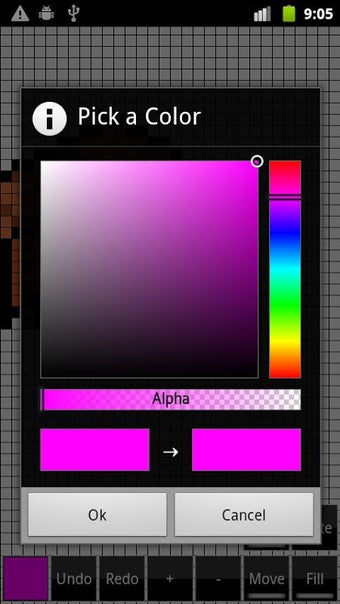
A standout feature of this app is the Saved section in the color picker. In this section, users can pre-select and save their favorite colors for quick access. This feature not only speeds up the workflow but also helps in maintaining consistency across different projects. After completing your artwork, you can choose from various size options and export your work.
When starting a new project, you have the option to set the size of the canvas. This flexibility allows you to tailor the workspace to accommodate various project dimensions. However, the app does have a notable limitation: users cannot adjust the size of the pixels. The inability to modify pixel dimensions might limit the app’s versatility for projects requiring detailed adjustments or higher levels of precision.
Streamlines your creative process
Pixel Create is a solid option for those exploring pixel art for the first time or an experienced artist searching for a dependable tool. Its user-friendly interface and practical features make it easy for users to start creating, regardless of their prior experience or expertise. While the inability to adjust pixel size may be a limitation, this does not overshadow the app’s many strengths.